Rocket in Minecraft
How to Make a Rocket in Minecraft
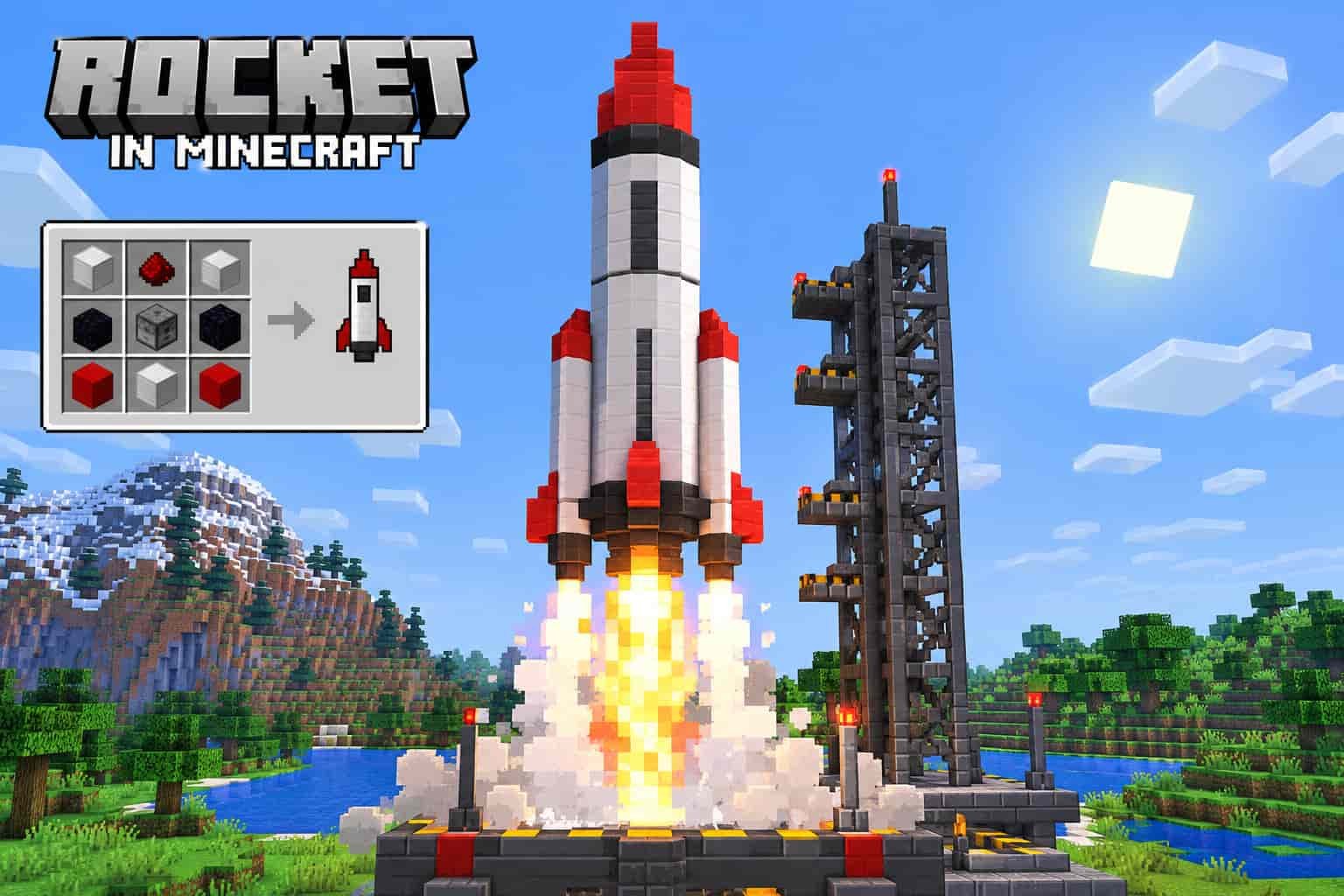
Rockets in Minecraft are useful for boosting Elytra flight and creating colorful firework displays. You can craft a basic firework rocket with paper and gunpowder, then adjust its flight duration by changing the amount of gunpowder.
Quick answer: Combine 1 paper and 1–3 gunpowder in a crafting table to make 3 firework rockets. Add a Firework Star if you want an explosion effect.
Firework Rockets
Craftable items used for Elytra boosts and firework displays. Firework Stars add explosion effects but can damage players during Elytra flight.
Redstone Flying Machines
Moving contraptions built with blocks such as slime blocks, pistons, and observers. They resemble flying rockets but use redstone mechanics rather than a firework recipe.
This guide explains the crafting recipe, rocket customization, and the basics of building a rocket-like flying machine. For the standard item recipe, see the Minecraft Wiki firework rocket guide.
Materials Needed to Make a Rocket in Minecraft
To craft a basic firework rocket, you need just two materials. Gather them before opening your crafting table.
1. Paper
Paper is a required ingredient for the firework rocket recipe. You can craft it using sugar cane.
1 paper2. Gunpowder
Gunpowder determines the rocket’s flight duration. Using more gunpowder increases the duration.
1–3 gunpowderHow to Craft a Firework Rocket
- Open a crafting table.
- Place one paper and one gunpowder anywhere in the crafting grid.
- Add a second or third gunpowder if you want a longer flight duration.
- Move the crafted rockets into your inventory.
Crafting result: Each recipe produces 3 firework rockets. One gunpowder gives flight duration 1, two give duration 2, and three give duration 3.
Optional ingredient: A Firework Star adds an explosion effect to the rocket. You do not need one for a basic rocket or for Elytra boosting. Avoid explosion effect rockets while flying with Elytra because they can damage you.
How to Get Paper and Gunpowder in Minecraft
Paper and gunpowder are the two basic ingredients for crafting firework rockets. You can collect both during normal Survival gameplay.
How to Make Paper
Find sugar cane growing beside water and collect at least three pieces. Open a crafting table and place the three sugar cane horizontally in one row to craft three sheets of paper.
How to Get Gunpowder
Defeat creepers to collect gunpowder drops. You can also obtain gunpowder from certain chests or other eligible mobs. Keep a safe distance from creepers because they explode when they get close.
Quick tip: Grow sugar cane near water for a renewable paper supply. Collect extra gunpowder whenever possible so you can craft more rockets for longer Elytra journeys.
How to Use Firework Rockets with Elytra in Minecraft
Firework rockets help you accelerate while gliding with Elytra, making long distance travel easier. Follow these steps to get started.
Equip Your Elytra
Place the Elytra in your chest armor slot so you can glide after jumping or falling from a suitable height.
Move Rockets to Your Hotbar
Place regular firework rockets in an accessible hotbar slot and select them before using the boost.
Start Gliding
Jump from a safe height and activate the Elytra glide. Build a little forward movement before using a rocket.
Activate the Rocket
Use the rocket while gliding to gain a forward boost. On most controls, this means using the selected item; the exact input depends on your edition and device.
Important safety tip: Use rockets crafted without a Firework Star for Elytra boosting. Explosion effect rockets can damage you. Practice over open ground or water until you are comfortable controlling your flight.
How to Customize Firework Rockets in Minecraft
You can customize Minecraft firework rockets with different colors and explosion effects. To do this, craft a Firework Star first, then combine it with paper and gunpowder to make an effect rocket.
1. Choose Firework Colors
Add one or more dyes when crafting a Firework Star to choose the explosion colors. Using multiple dyes lets you create colorful combinations. You can also add another dye to a finished star to create a color-fading effect.
2. Select an Explosion Shape
Small Ball
The default explosion shape when you craft a Firework Star without a shape modifier.
Large Ball
Add a fire charge to the Firework Star recipe for a larger explosion.
Star Shape
Use a gold nugget to create a star-shaped explosion.
Burst
Add a feather to produce a burst-style explosion.
Creeper Face
Use a creeper head to create a creeper-face explosion.
Extra Effects
Glowstone dust adds a twinkle effect, while a diamond adds a trail to the explosion.
Important: Firework Stars are optional for ordinary rockets and Elytra boosting. Rockets with explosion effects can damage you during flight, so use rockets without a Firework Star when boosting with Elytra.
For more crafting details, see the Minecraft Wiki guide to Firework Stars.
How to Create an Automatic Fireworks Display in Minecraft
You can create a simple fireworks display using dispensers, firework rockets, and a redstone signal. This setup is useful for celebrations, multiplayer events, and decorating your Minecraft base.
Items You Need
Dispenser
Stores and launches the firework rockets when it receives a redstone signal.
Firework Rockets
Craft several rockets, using different Firework Stars if you want colorful explosion effects.
Redstone Dust
Connects the activation source to the dispenser.
Button or Redstone Clock
A button provides manual activation. A suitable redstone clock can trigger repeated launches.
Setup Instructions
1. Place a dispenser facing upward or toward the area where you want the fireworks to launch.
2. Open the dispenser and place your firework rockets inside.
3. Connect redstone dust to the dispenser and attach a button or another redstone activation mechanism.
4. Activate the circuit and test the launch. For repeated displays, use a clock design compatible with your Minecraft edition.
Safety tip: Test your setup in an open area and keep the launch path clear. If you want visible explosion effects, craft rockets with Firework Stars; plain rockets can launch without a colorful explosion.
Want to customize your character for a themed fireworks event? Explore our Minecraft Skin Editor guide. For dispenser behavior and redstone details, see the Minecraft Wiki’s dispenser guide.
Common Mistakes to Avoid When Making Rockets in Minecraft
Crafting firework rockets is simple, but a few mistakes can lead to the wrong flight duration, missing explosion effects, or unexpected damage while flying with Elytra.
1. Using the Wrong Amount of Gunpowder
One paper and one to three gunpowder craft three rockets. The amount of gunpowder controls flight duration: one gives Flight Duration 1, two gives 2, and three gives 3.
2. Expecting a Colorful Explosion from a Basic Rocket
A basic rocket launches without a custom explosion. To add colors and explosion shapes, craft a Firework Star and include it in the rocket recipe.
3. Taking Explosive Rockets into Elytra Flight
Rockets with Firework Star explosion effects can damage the player during Elytra flight. Use rockets without a Firework Star when boosting through the air.
4. Confusing Firework Rockets with Flying Machines
Firework rockets are consumable items, while flying machines are redstone contraptions built with components such as pistons, observers, and slime or honey blocks.
5. Using a Redstone Design from the Wrong Edition
Some flying-machine and redstone designs behave differently in Java Edition and Bedrock Edition. Check that your tutorial matches the version you play before building.
Quick tip: Test your rocket recipe with a small batch first. If you are building a redstone contraption, test its movement in an open area before adding extra blocks or decorations.
If you need help choosing the right version for your device, read our guide to Minecraft Pocket Edition APK. You can also check the Minecraft Wiki’s Elytra guide for more information about gliding.
Frequently Asked Questions About Rockets in Minecraft
Here are quick answers to common questions about crafting, using, and customizing firework rockets in Minecraft.
How do you make a rocket in Minecraft?
Combine one paper with one to three gunpowder in a crafting grid. Each recipe produces three firework rockets.
How many rockets does one recipe make?
One paper and one, two, or three gunpowder produce three rockets per crafting recipe. More gunpowder increases flight duration, not the number of rockets produced.
How do you make rockets fly for longer?
Use more gunpowder in the recipe. One gunpowder creates Flight Duration 1, two creates Flight Duration 2, and three creates Flight Duration 3.
Can you use firework rockets with Elytra?
Yes. Activate a rocket while gliding to gain a boost. Use rockets without a Firework Star to avoid explosion damage during flight.
How do you make colorful fireworks?
Craft a Firework Star with dye to choose the explosion color. You can add certain items to customize the explosion shape and effects.
Why does my rocket have no explosion?
A basic rocket launches without a custom explosion effect. Add a Firework Star to the rocket recipe if you want a visible burst of color and shape.
Can you make a flying machine with firework rockets?
Not directly. Rockets are items, while flying machines are redstone builds that use movable blocks and components such as pistons and observers.
Do rocket recipes work the same in Java and Bedrock Edition?
Core firework rocket crafting is similar, but some mechanics and redstone builds can differ by edition. Check the relevant edition guide before following a complicated design.
Looking for another way to play? Explore our Minecraft for PC guide or consult the Minecraft Wiki’s firework rocket reference for additional technical details.
Conclusion: How to Make a Rocket in Minecraft
Making a firework rocket in Minecraft is easy once you have paper and gunpowder. Combine one paper with one to three gunpowder to craft three rockets, then choose the flight duration that suits your needs.
Use rockets without Firework Stars to boost your Elytra, or add a Firework Star when you want colorful explosions for celebrations. If you enjoy exploring Minecraft features, crafting guides, and different editions, visit our main page for more Minecraft resources.